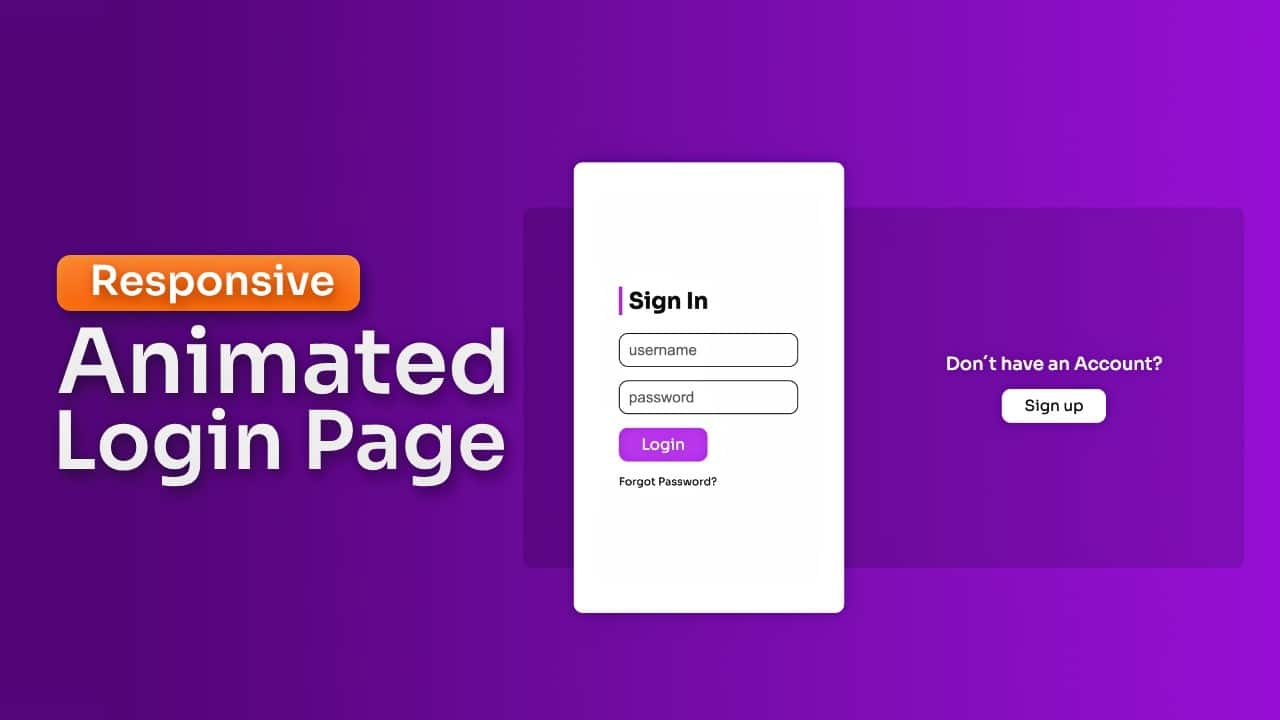
In this guide, I’ll walk you through the process of creating a Responsive animated login and signup page using HTML, CSS, and JavaScript.
This method allows you to build a dynamic and user-friendly interface, perfect for enhancing your web development portfolio.
Who Should Read This Guide?
This tutorial is ideal for:
- Web developers looking to create interactive and responsive user authentication forms.
- Designers interested in crafting sleek, modern UI/UX experiences.
- Beginners eager to gain hands-on experience with HTML, CSS, and JavaScript.
Video Tutorial to Build a Responsive Login and Signup Page
The YouTube video above is a great resource if you prefer video tutorials. Making it easy to follow along with your Responsive animated login and signup page project.
If you prefer reading or need a step-by-step guide, keep following this post.
Why Create a Responsive Animated Login and Signup Page?
Creating a responsive, animated login and signup page using HTML, CSS, and JavaScript is not just about adding a visual flair to your projects. It’s an essential skill for modern web development, offering several key benefits:
Enhanced User Experience
A well-designed login and signup page can significantly improve the user experience by making the authentication process smooth and intuitive. Animation and responsiveness add to the overall appeal, making your site more engaging.
Mobile-Friendly Design
With more users accessing websites via mobile devices, having a responsive layout is crucial. This project ensures that your login and signup forms look great and function well on any screen size, from desktops to smartphones.
Practical Skill Development
Working on this project will help you master essential front-end skills. You’ll start with the basics of HTML and CSS, then advance to more complex techniques, including responsive design and JavaScript interactivity. By the end of this tutorial, you’ll be capable of creating polished and professional-looking web forms.
Portfolio Enhancement
A dynamic, responsive login and signup page is a great addition to any web developer’s portfolio. It showcases your ability to create functional, aesthetically pleasing, and user-friendly interfaces, making you stand out to potential employers or clients.
Step by Step Implementation
In this section, we’ll guide you through the entire process of creating a Responsive Animated Login and Signup Page with HTML CSS & JavaScript.
Follow along to build this project from the ground up, mastering the essential techniques needed to create a visually appealing and fully functional form.
1. Setting Up the HTML Structure
We’ll begin by laying the foundation with HTML. This step involves creating the basic structure for both the login and signup forms.
<!DOCTYPE html>
<html lang="en">
<head>
<meta charset="UTF-8">
<meta name="viewport" content="width=device-width, initial-scale=1.0">
<link rel="stylesheet" href="styles.css">
<title>Responsive Login & Registration Form</title>
</head>
<body>
<div class="container">
<section class="box sign_in">
<h2>Already have an Account?</h2>
<button class="tab" id="sign_in_button">Sign in</button>
</section>
<section class="box sign_up">
<h2>Don´t have an Account?</h2>
<button class="tab" id="sign_up_button">Sign up</button>
</section>
<section class="form_container">

<div class="sign_in_box form_box">
<form action="#" method="post">
<h3>Sign In</h3>
<input type="text" id="username_sign_in" placeholder="username">
<input type="password" id="password_sign_in" placeholder="password">
<button class="primary" href="#">Login</button>
<a href="#">Forgot Password?</a>
</form>
</div>

<div class="sign_up_box form_box">
<form action="#" method="post">
<h3>Sign Up</h3>
<input type="text" id="_sign_up" placeholder="username">
<input type="text" id="email" placeholder="email">
<input type="password" id="password_sign_up" placeholder="password">
<input type="password" id="confirm_password" placeholder="confirm password">
<button class="secondary">Register</button>
</form>
</div>
</section>
</div>
<script src="main.js"></script>
</body>
</html>
2. Styling with CSS
Next, we’ll bring our forms to life with CSS. You’ll learn how to style the forms, add animations, and ensure that the design is responsive across different devices.
To see the full CSS code and customize it to your liking, get the source code.
3. Adding Interactivity with JavaScript
With the layout and design in place, we’ll introduce JavaScript to handle the form switching between login and signup. You’ll also learn how to add smooth transitions and validate the user inputs.
To access the complete JavaScript code that powers these interactions, get the source code.
4. Making It Responsive
Finally, we’ll ensure that the login and signup forms look great on all devices by implementing responsive CSS techniques. This will make your project mobile-friendly and adaptable to various screen sizes.
5. Reviewing the Final Result
At the end of this tutorial, we’ll review the complete project, ensuring that everything works as intended and looks polished.
You’ll have a fully responsive and animated login and signup page ready to be integrated into your website or added to your portfolio.
Summary
In this tutorial, we began by setting up the HTML structure, laying the foundation for the forms. Next, we styled the forms with CSS, adding animations and ensuring the design was responsive across different devices. We then introduced JavaScript to handle form interactions, enabling smooth transitions between login and signup states.
Finally, we reviewed the project, ensuring a polished and professional finish.
By following this guide, you’ve gained valuable skills in front-end development, including responsive design, form validation, and user interface animation.
This project not only enhances your web development portfolio but also equips you with the tools to create dynamic, user-friendly authentication pages for your own websites.